QR ordering vs paper menus: pros, cons and a fair verdict
Paper menus or QR ordering? Compare updates, speed, accuracy, guest experience and costs, and see why many restaurants use both.
Paper menus have served restaurants well for a very long time. QR ordering is newer, and it is easy to get carried away in either direction: "paper is old-fashioned" or "nobody wants to order on a phone". The truth sits in between, and it depends on your venue.
This article compares QR ordering and paper menus across the things owners care about most, so you can decide what fits your restaurant, café or hotel.
A quick definition of each
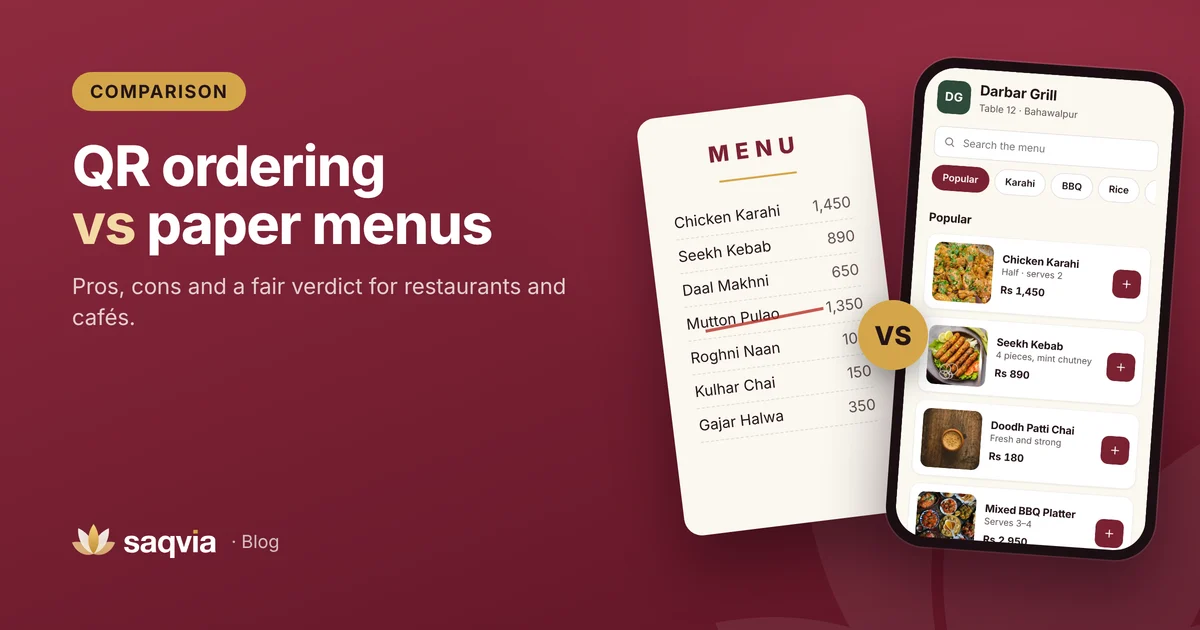
A paper menu is printed and handed to guests, or shown on a board. Guests read it, then tell a waiter what they want. The waiter writes the order down and takes it to the kitchen.
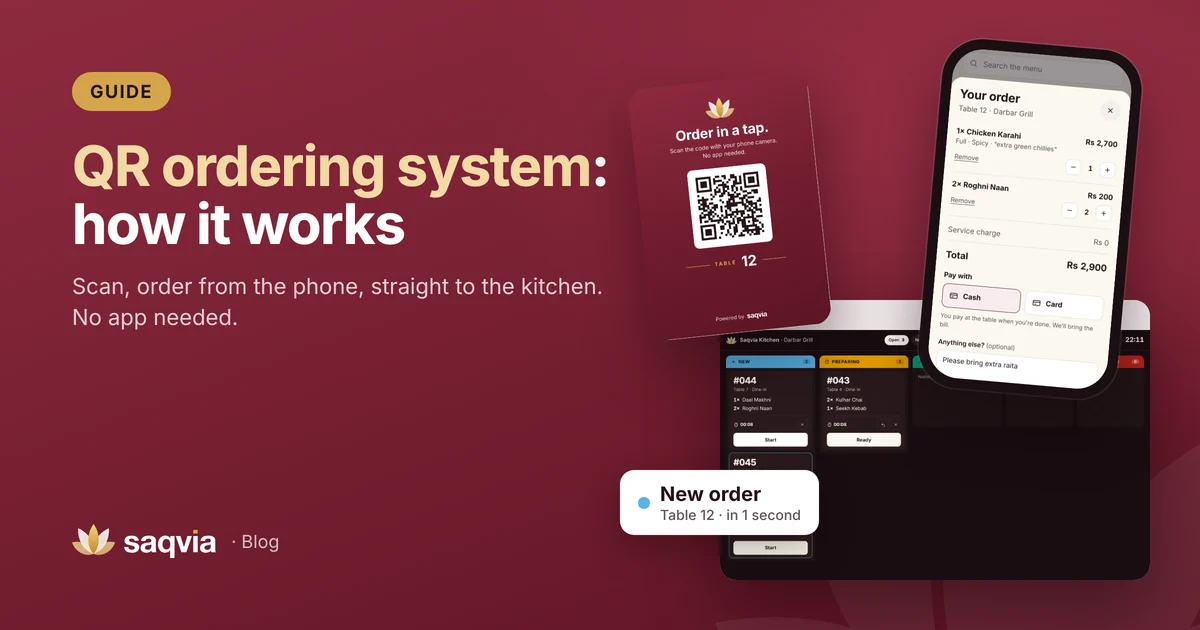
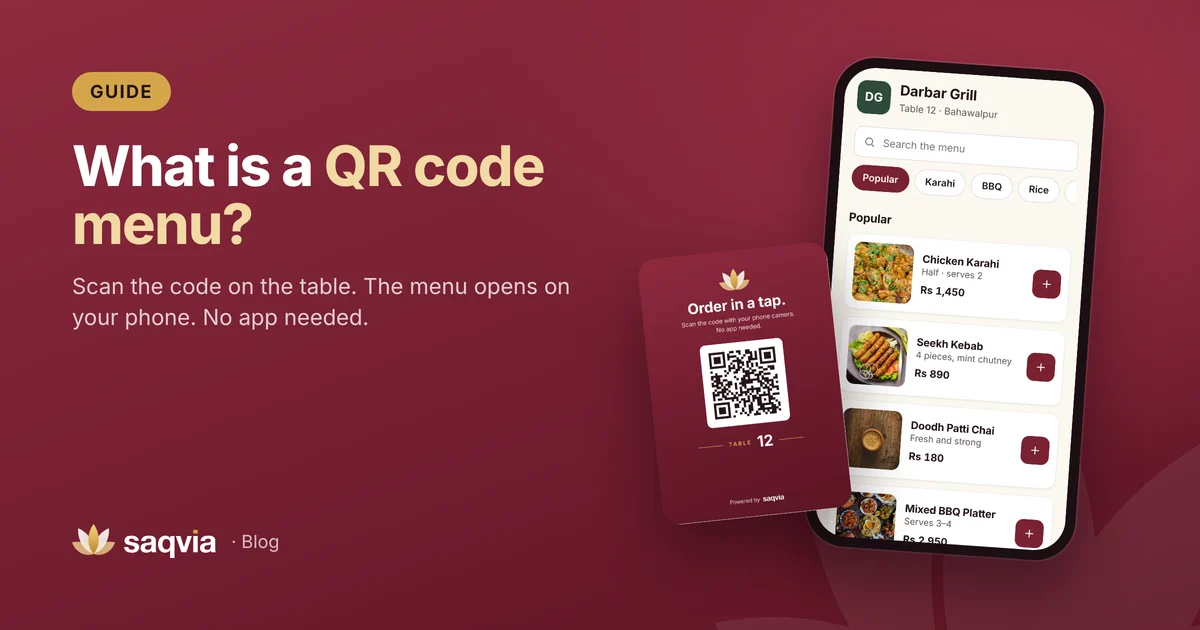
QR ordering puts a QR code on each table. Guests scan it with their phone camera, the menu opens in the browser, and they place the order themselves. It goes straight to a screen in the kitchen with the table number. (Here is how a QR ordering system works in detail.) If you are new to the idea, start with what a QR code menu is.
Side-by-side comparison
| Paper menu | QR ordering | |
|---|---|---|
| Changing prices or dishes | Reprint every copy | Edit once, live straight away |
| Sold-out dishes | Waiter tells the guest | Marked sold out on the menu |
| Photos | Costly to print, few dishes | A photo for every dish |
| Taking the order | Waiter writes it down | Guest sends it from the phone |
| Order reaches the kitchen | Carried by hand | Appears on the kitchen screen |
| Special requests | Depend on handwriting | Typed note on the order |
| Guests who prefer not to use a phone | Ideal | Keep a paper menu for them |
| Works without internet | Yes | Needs a connection |
Where paper menus win
A personal, familiar feel
A well-designed paper menu feels good in the hand and fits some venues perfectly, especially fine dining, where a waiter guiding the meal is part of the experience.
No phone, no connection, no problem
Paper never runs out of battery and doesn't care about mobile signal. For guests who are not comfortable with phones, it is simply easier.
Nothing to set up
You print it and you are done. No system to learn.
Where QR ordering wins
Always up to date
Prices, specials and sold-out dishes are correct the moment you change them. There is no stack of outdated menus in a cupboard, and no reprinting bill each time costs change.
Clear orders, fewer mistakes
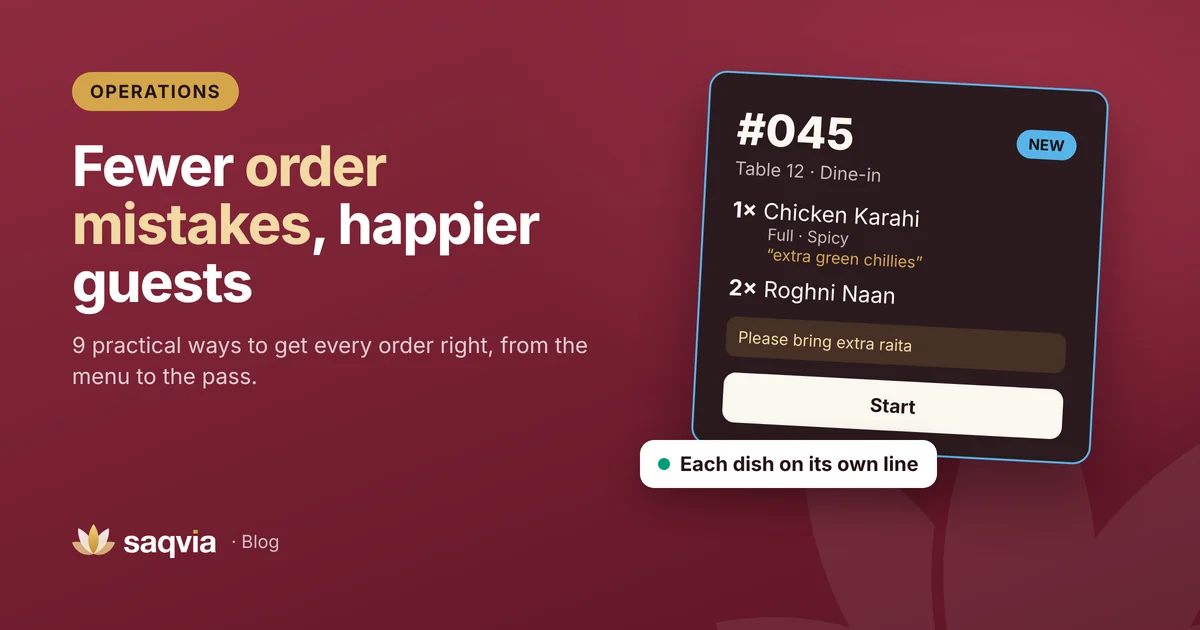
When a guest chooses "Chicken Karahi, Full, Spicy, extra green chillies", that is exactly what the kitchen sees, each item on its own line. Nothing is misheard over a noisy dining room or lost in handwriting. Read more on reducing order mistakes.

Guests order when they are ready
Busy evenings mean guests wait to order, then wait to add a second round of drinks or bread. With a code on the table they can order the moment they decide, and add more later without catching anyone's eye.
Photos that help guests choose
A photo for every dish helps guests try something new and makes your menu easier to understand for first-time visitors and tourists. Our digital menu design tips show how to use photos and options well.
Data you can use
Every order is recorded, so you can see what sells, at what time, and how long the kitchen takes. Paper orders rarely give you that without hours of counting. See 8 restaurant KPIs to track daily.
The costs to compare
Instead of guessing numbers, list your own:
- Paper: design, printing, lamination, and how often you reprint after price or menu changes. Add the time waiters spend taking and carrying orders.
- QR ordering: the software, printing one table card per table, and a screen for the kitchen (a tablet, TV or laptop you may already own).
For many venues the biggest difference is not the printing bill but staff time and mistakes avoided. Count how many dishes are remade in a normal week; that is a cost too.
The best answer is often both
Most venues don't have to choose. A common setup is:
- A QR code on every table for guests who like to order themselves.
- A few printed menus for guests who prefer paper.
- Staff still welcome guests, answer questions and can place an order for a guest who asks.
With Saqvia, the same menu powers the guest's phone, and staff can open any table's menu from the admin dashboard to help a guest order. Paper and QR work side by side.
How to decide for your venue
Ask yourself:
- How often do my prices or dishes change? Often means QR ordering saves real effort.
- How busy are my peak hours? If guests wait to order, self-ordering helps.
- How many orders go wrong? If remakes are common, typed orders help.
- Who are my guests? Young groups, families and tourists usually scan happily. Keep paper for those who don't.
- Do I want to know my numbers? Digital orders give you reports for free.
See the difference yourself
The best way to compare is to try it. Follow the Saqvia demo tutorial: scan a table code, place an order and watch it reach the kitchen. Then book a free demo and we'll show you how it would work with your own menu.
Frequently asked questions
Is QR ordering better than a paper menu?
It depends on the venue. QR ordering is easier to keep up to date and sends clear orders to the kitchen; paper suits guests who prefer not to use a phone. Many venues use both.
Does QR ordering replace waiters?
No. Staff still welcome guests, answer questions, serve food and can take orders for guests who prefer it. QR ordering removes the back-and-forth of writing and carrying orders.
What does QR ordering need to work?
An internet connection for the guests’ phones and the kitchen screen, a printed QR card on each table and a screen in the kitchen such as a tablet, TV or laptop.