How to reduce order mistakes in your restaurant
Wrong orders cost food, time and goodwill. Learn where restaurant order mistakes come from and 9 practical ways to cut them.
A wrong order costs more than one plate. The kitchen cooks twice, the guest waits longer, the table next to them waits too, and the evening starts on a bad note. Most restaurants can't remove mistakes completely, but they can make them much rarer.
This guide looks at where restaurant order mistakes come from and nine practical ways to cut them, from the menu to the kitchen pass.
Where order mistakes come from
Before fixing mistakes, it helps to know where they start. In most restaurants they come from one of five places:
- Mishearing. A noisy dining room, a guest speaking softly, two dishes with similar names.
- Handwriting. Abbreviations only one waiter understands, or an order written in a rush.
- Missed details. The size, the spice level, "no onions", "sauce on the side".
- Lost tickets. A slip that falls behind the counter or sticks to another one.
- The wrong table. The right food, delivered to the wrong guests.
Some mistakes come from the menu itself: a dish description that doesn't say what is in it, or options that aren't clear, so the guest gets something they didn't expect.
1. Let guests choose for themselves
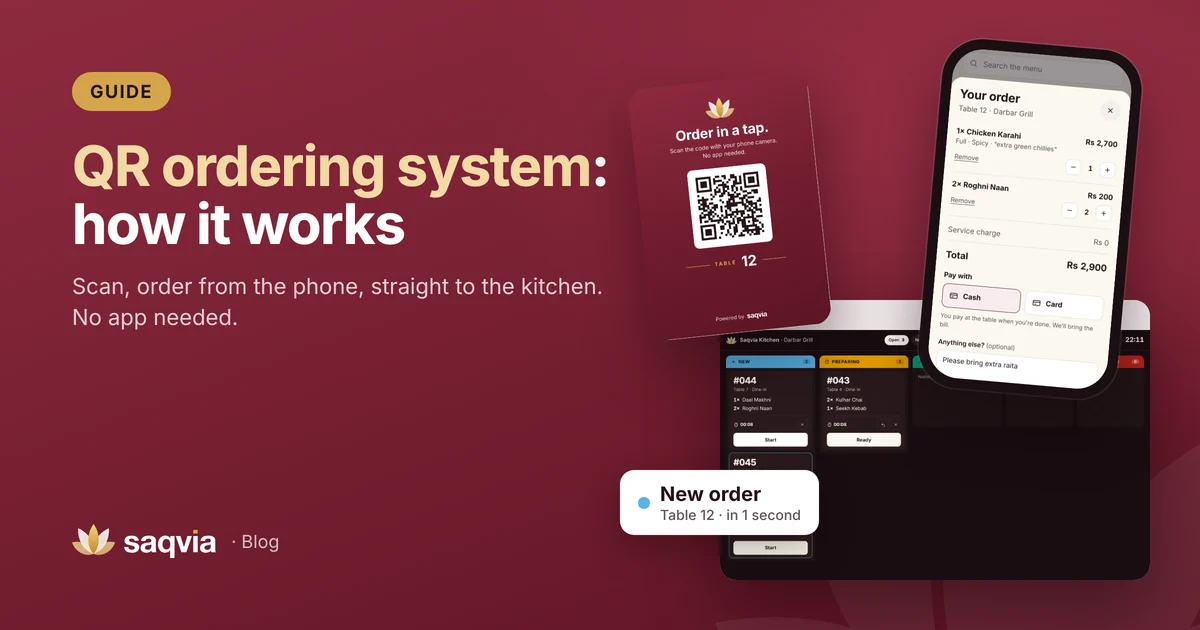
When guests order on their own phone, the order is exactly what they chose. They read every option, pick the size and spice level, and type their own note. Nothing is passed from person to person. This is the core idea behind a QR ordering system.
2. Make options part of the menu
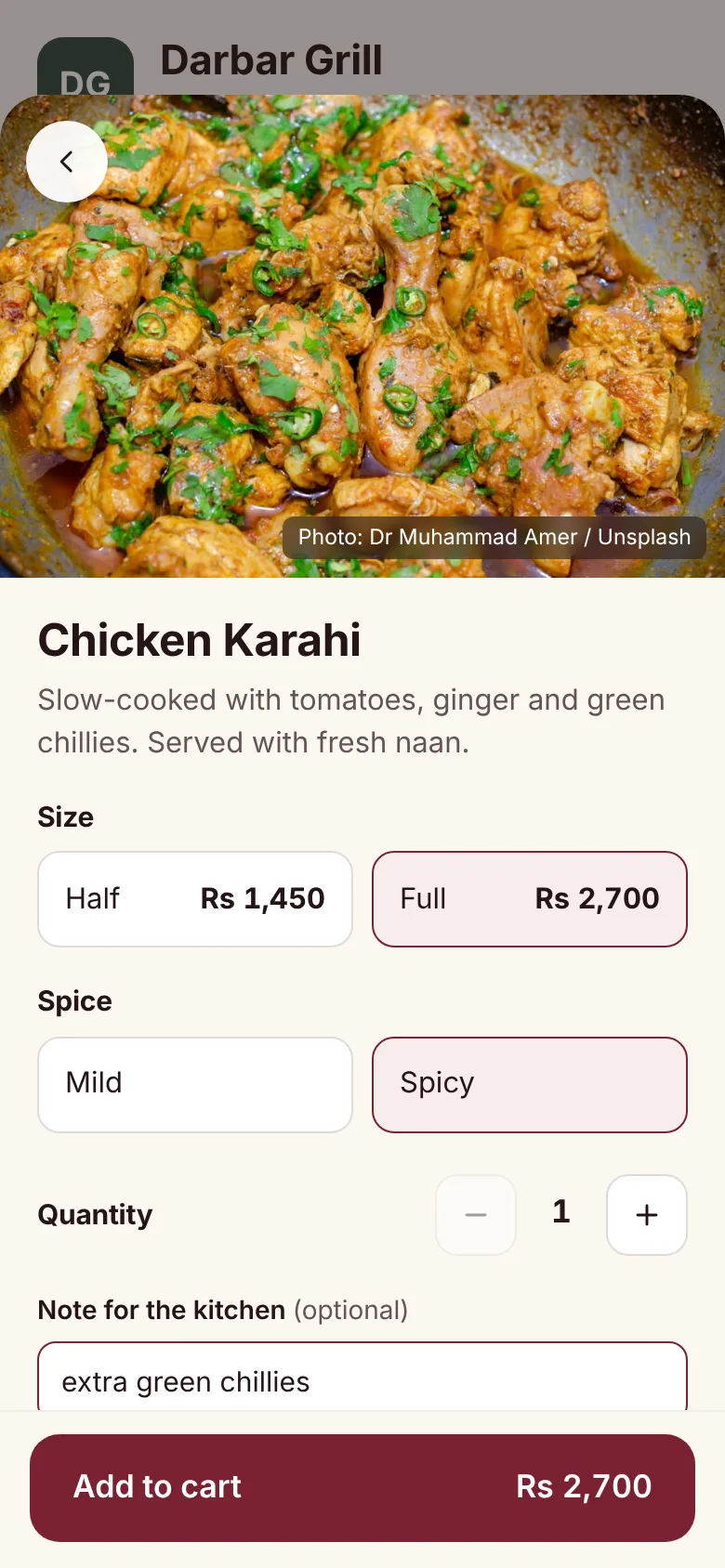
If guests often ask for half portions, mild or spicy, or a choice of bread, make those options on the dish rather than notes. A selected option is clearer than free text, and the kitchen sees it in the same place every time.
3. Write clear dish descriptions
"Chicken Karahi" means different things in different places. A short line such as "Slow-cooked with tomatoes, ginger and green chillies. Served with fresh naan." tells the guest what to expect, so fewer plates come back. Our digital menu design tips cover this in more detail.
4. Show what is sold out
One of the most frustrating moments for a guest is ordering a dish, waiting, then being told it isn't available. Mark dishes sold out on the menu as soon as they run out. With a digital menu this takes one tap and guests can't order the dish any more.
5. Put every item on its own line
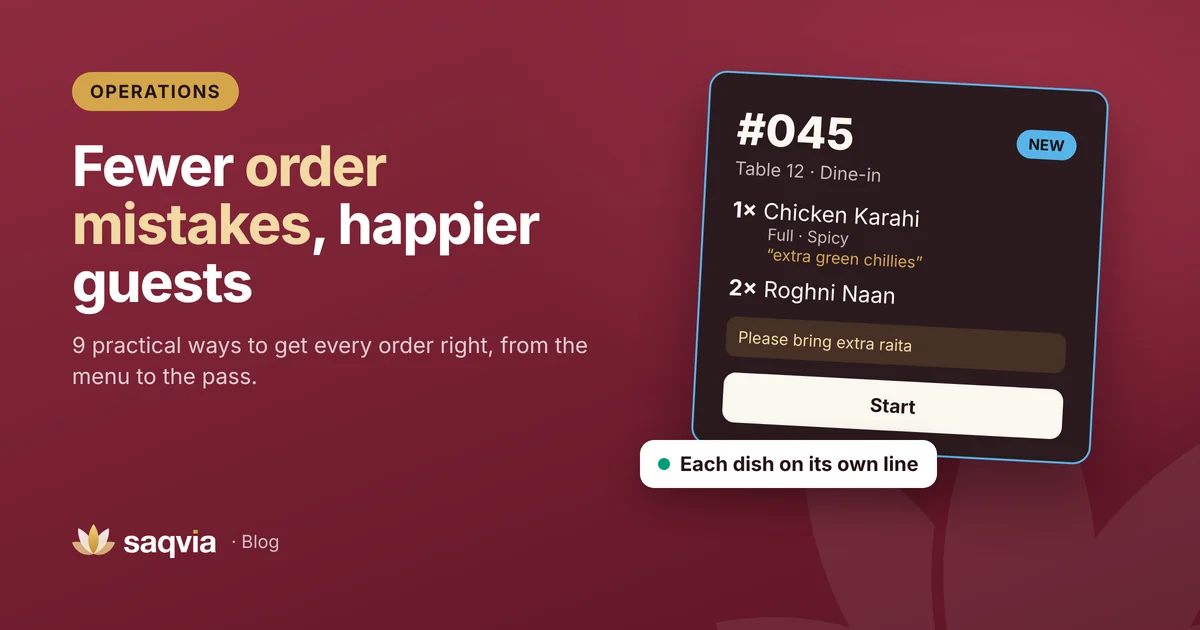
Kitchens make fewer mistakes when each dish is on its own line, with its quantity first and its options right underneath:
- 1× Chicken Karahi, Full, Spicy, "extra green chillies"
- 2× Roghni Naan
Compare that with "1 ck kar F/S xgc + 2 rn" scribbled on a slip. Clear formatting is the cheapest accuracy improvement there is.

6. Use a kitchen screen instead of paper slips
A kitchen display system keeps every open order on a screen until it is done. Tickets can't be lost, timers show which orders have waited longest, and everyone sees the same status. Waiters know what's ready without shouting across the pass.
7. Tie every order to a table
Orders delivered to the wrong table are often a labelling problem. When each table has its own QR code, every order arrives with the table number already attached. Use the table names your staff already use, and put the number clearly on the table card.
8. Confirm the order back to the guest
Whether the order is taken by a waiter or placed by the guest, a confirmation helps. With QR ordering the guest sees their order on a status screen with every item and option. A waiter taking an order by hand can read it back in a few seconds. Both catch mistakes before the kitchen starts cooking.
9. Learn from the mistakes you still make
Keep a simple note of every remake for a few weeks: which dish, what went wrong, at what time. Patterns appear quickly. Perhaps one dish name is confusing, one option is always missed, or mistakes cluster at your busiest hour. Fix the cause, not just the plate.
A digital system also gives you order history to look back on. See 8 restaurant KPIs every owner should track.
A quick checklist
- Options like size and spice are choices on the dish, not notes.
- Every dish has a one-line description.
- Sold-out dishes are switched off as soon as they run out.
- Each item is on its own line on the kitchen ticket.
- Every order shows its table number.
- Guests or waiters confirm the order before cooking starts.
- Remakes are noted and reviewed weekly.
How Saqvia helps
Saqvia was built around clear orders. Guests order from their own phone with sizes, choices and notes; the kitchen display shows each item on its own line with the table number; and the owner dashboard keeps every order for review. Try it yourself in the demo tutorial, or book a free demo with your own menu.
Frequently asked questions
What causes most order mistakes in restaurants?
Common causes are mishearing, handwriting, missed details like size or spice level, lost tickets and orders delivered to the wrong table.
How does QR ordering reduce mistakes?
Guests choose the dish, size, options and note themselves, and the order reaches the kitchen exactly as chosen, with the table number attached.
How can I track order mistakes?
Note every remake or cancellation with the dish, the reason and the time for a few weeks, then look for patterns and fix the cause.